

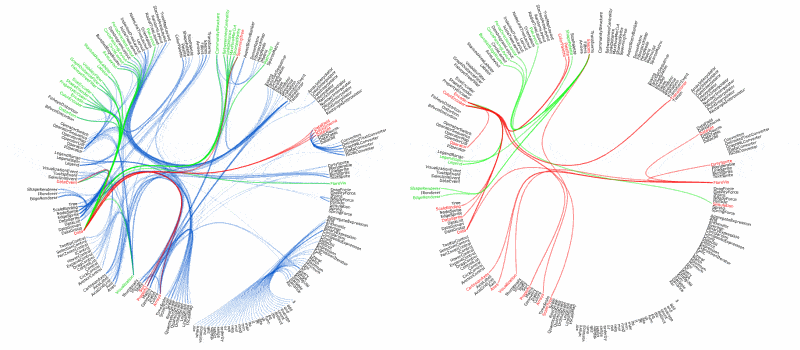
Flare makes it easy to create interactive data visualizations
To begin making your own visualizations, download flare and work through the tutorial below. Need more help? Visit the help forum (you’ll need a SourceForge login to post).
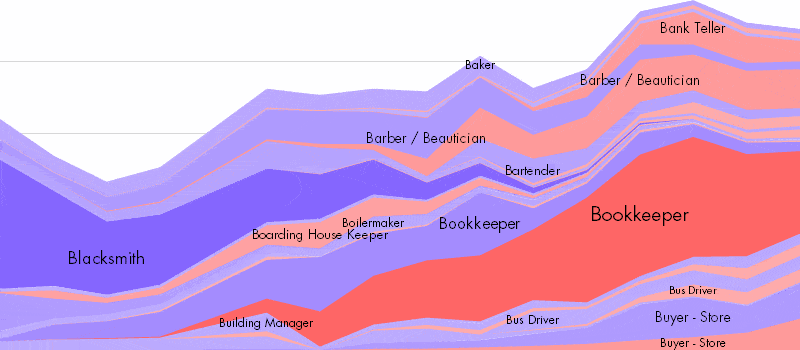
Flare is open-source software released under a BSD license, meaning it can be freely deployed and modified (and even sold for $$). Flare’s design was adapted from its predecessor prefuse, a visualization toolkit for Java.
Applications
- 2010.03.12: BBC News uses Flare to map the Top 100 sites on the Internet.
- 2010.01.29: Flare was used to help ABC News’ Good Morning America show that George Stephanopoulos may be related to Hillary Clinton (go to 4:48 in the video).
- 2009.09.25: Slate magazine uses Flare for a variety of interactive data graphics.
- 2009.02.20: Wired Italia uses Flare for their visual interface to multimedia content.
- 2009.02.10: MemeTracker crawls 1.6 million mainstream media and blog sites, analyzes what people talk about, and visualizes the results using Flare.
- 2009.01.28: Visualizing information flow in science combines eigenfactor metrics with Flare to visualize the citation network of scientific publications.
- 2008.10.27: The GoodGuide Political Contributions app uses flare to visualize the amount and type of contributions made by corporations to American political parties.
- 2008.07.16: The Minnesota Employment Explorer (built with Flare) lets people explore employment trends and share their insights. It’s part of a piece by Minnesota Public Radio on the U.S. economic slowdown.
- 2008.04.02: The IBM Visual Communication Lab used Flare to build visualizations for Many-Eyes. Check out their Comparison Tag Clouds, made with Flare.
Announcements
- 2010.10.07: Flare development has been opened up to the community and the source has moved from SourceForge to a new home on GitHub. flare 2009.01.24 is still last official release and (at least for now) the tutorials and documentation reflect it. The development version on GitHub now contains better support for Flash Player 10 as well as many other small fixes and changes.
- 2009.01.24: flare 2009.01.24 has been released. This is a maintenance release with a number of bug fixes and updates. See the release notes for more details. This is the last planned released for Flash Player 9 — future versions will migrate to version 10.
- 2008.07.30: flare 2008.07.29 has been released. This is a major release introducing many new features and architectural improvements. See the release notes for more details.
- 2008.07.30: flare 2008.08.08 has been released. This release includes improved legend support, named transitions, bug fixes, and a refactoring to reduce coupling and consolidate utility classes. See the release notes for more details.
Tutorial
A step-by-step tutorial for learning ActionScript and Flare.
Getting Started
The first step is to get your development tools set up.
- Setup a working flash development environment. There are two approaches. We recommend the first for simplicity, but more advanced users are welcome to use the second approach.
- Option 1 (simpler): Install Adobe Flex Builder.
- This is a full development environment for ActionScript/Flex applications. It is available for all the major platforms (Windows, Mac, Unix). Users who already use the Eclipse IDE can also install Flex Builder as an Eclipse plug-in.
- The caveat to using Flex Builder is that it is commercial software and will only work for a limited trial period. However, Adobe provides free Flex Builder licenses to university students, faculty, and staff.
- Option 2 (more complicated): Install the free Flex SDK
- This will install the basic ActionScript/Flex compilers:
mxmlcandcompc. You can then setup your own build environment, for example, using themakeorantbuild systems. Flare is packaged with abuild.xmlfile for use with the Apache Ant build system. Once ant is installed, just open thebuild.xmlfile in a text editor, change the first couple lines to point to your Flex SDK installation, and then useantto compile the libraries. We make use of Adobe Labs’ ant tasks for Flex development. - The advantage of this approach is that all the software is free, and will not expire on you. However, you lose out on features like automatic compilation, project management, and auto-complete provided by Flex Builder.
- This will install the basic ActionScript/Flex compilers:
- Option 1 (simpler): Install Adobe Flex Builder.
- Download the prefuse flare libraries.
- The download is a zip file containing a set of ActionScript library projects. Unzip the files into your primary workspace directory if you are using Flex Builder. During the tutorial we will import them into Flex Builder and use them to build visualizations!
- The software is currently an alpha version, and so some bugs and limitations are to be expected. We will fix problems as soon as we can, and the link above will always point to the most recent version.
Introduction to Flash and ActionScript 3
Flash is a great environment for interactive graphics and with the recent addition of the ActionScript 3 programming language, it just became a lot more powerful and efficient. While a complete introduction to AS3 is beyond the scope of this tutorial, here are some resources you will find useful:
- Adobe provides an Overview of AS3, with links to additional resources.
- Essential ActionScript 3 by Colin Moock from O’Reilly publishing is a great book to help you get started. You can access it online here (some institutions, such as universities, provide access for free).
- The Adobe Flex API Reference is invaluable for understanding the different classes and methods available. We will be focused only on the classes in the
flash.*packages.
This tutorial assumes a basic familiarity with ActionScript syntax and types, as well as concepts of object-oriented programming.
Part 1: DisplayObjects
Introduction
Flash models a 2D visual scene using a scenegraph. Visual objects are organized in a hierarchy, with child objects defined in the coordinate space of the parent. You’ll often see this scenegraph referred to as the display list in both Adobe’s documentation and in books on Flash programming.
The node at the top of the display list is always the Stage object. The stage always has one and only one child. This is called the root, and all visual items are underneath the root. Typically, the root is your actual Flash application. We’ll come back to this soon.
All visual items that can be added to the display list are instances of the DisplayObject class. Subclasses of DisplayObject include Bitmap (for images), TextField (for interactive text areas), and Video (think YouTube). The most common instances, however, are the Sprite and Shape classes. For reference most of these classes can be found in the flash.display package (though eventually you’ll likely find the flash.text package of use, too).
The Sprite class is the most useful, general visual object used by the Flash Player. Sprites are visual objects that contain both drawing content and can serve as a container for sub-nodes in the display list (the Sprite class subclasses the flash.display.DisplayObjectContainer class). In contrast, the Shape class can contain drawing content, but can not hold sub-nodes. As a result, Shapes use up less memory, but are much less flexible. For simplicity, we’ll focus on Sprites in this tutorial.
Create A New Application
First, let’s create a new Flash application. To do this, open Flex Builder and make sure you are in the “Flex Development” perspective (often reached by clicking the black and white “Fx” icon in the upper right).
In the “Navigator” pane on the left, right click the display and select “New > ActionScript Project”. In the resulting dialog, type “Tutorial” as the project name, then click “Finish”. This will create a new project for you.
You should now see a “Tutorial” folder in the “Navigator” pane. Within this folder, you should see a file named “Tutorial.as”. This is your main application file. Open it, if it is not open already.
Inside the file, you’ll see the basic scaffolding for this class:
package {
    import flash.display.Sprite;

    public class Tutorial extends Sprite
    {
        public function Tutorial()
        {
        }
    }
}
Notice that this class extends the Sprite class. Because this is our main application class, when we run the application an instance of the Tutorial class will automatically be added to the display list as its root (the one and only child of the Stage).
Notice also that a constructor has been automatically created. This constructor will be called when the application launches. For those familiar with programming languages such as C, C++, or Java, the constructor for the application class acts much like a main function in those other languages.
With this new application scaffolding in place, we can start playing with visual objects. However, there is one thing we want to do first. Add a new line directly above the class declaration (”public class Tutorial…”) line that says:
[SWF(width="800", height="600", backgroundColor="#ffffff", frameRate="30")]
This line defines default settings for your application (which is compiled and saved as a .swf file in your project’s “bin” directory). Above, we set the size, background color, and target frame rate (in frames per second) for our application.
Sprites
Like all DisplayObjects, Sprite supports a number of visual properties right out of the box. This includes the x, y, scaleX, scaleY, rotation, and alpha properties. These respectively change the position, size, orientation, and transparency of a sprite (and all its children! Remember, we’re using a scenegraph here).
However, these values don’t mean much yet, as sprites don’t contain anything by default. We’ll start by drawing our own content.
Every Sprite also has a graphics property. We can use this to draw graphics for the Sprite. The graphics property is an instance of the flash.display.Graphics class, which provides a number of vector drawing commands.
In the example below, we do a number of things.
- First, we create a new
Sprite. - Second, we use the sprite’s
graphicsto draw a circle with gray fill and black outline.beginFillsets the current fill color and style. The first argument is the color, in hex notation, and the second argument is the alpha value, which ranges from 0 for fully transparent to 1 for fully opaque.lineStylesets the current stroke color and style. The first argument is the line width, the second argument is the color.drawCircledraws a circle of radius 10 at the point 0,0 in the coordinate space of our sprite.
- Third, we add the sprite as a child of our main application (a
Tutorialsprite). - Fourth, we set the
xandyposition of our sprite. - Fifth, we add some debugging output.
traceprints a string to the console. This output only shows up when running the app in “debug” mode.
Here’s the code:
package {
    import flash.display.Sprite;

    [SWF(width="800", height="600", backgroundColor="#ffffff", frameRate="30")]
    public class Tutorial extends Sprite
    {
        public function Tutorial()
        {
            var sprite:Sprite = new Sprite();

            sprite.graphics.beginFill(0xcccccc, 0.5);
            sprite.graphics.lineStyle(1, 0x000000);
            sprite.graphics.drawCircle(0, 0, 10);

            this.addChild(sprite);

            sprite.x = 50;
            sprite.y = 50;
            trace("our sprite is at: "+sprite.x+", "+sprite.y);
        }
    }
}
Run the application (right click “Tutorial.as” and select “Run As > Flex Application”). You should see a gray circle with black outline in the upper left corner, centered on the point 50, 50. If you run the application in debug mode (select “Debug As > Flex Application”), you should also see the string “our sprite is at: 50, 50” in the output console.
Nested Sprites
Now let’s make our scene a bit more interesting. Let’s start by moving our Sprite generation code to a new method. We’ll add this method to our class:
        private function createCircle(x:Number, y:Number):Sprite
        {
            var sprite:Sprite = new Sprite();

            sprite.graphics.beginFill(0xcccccc, 0.5);
            sprite.graphics.lineStyle(1, 0x000000);
            sprite.graphics.drawCircle(0, 0, 10);
            sprite.x = x;
            sprite.y = y;
            return sprite;
        }
Next, we replace the code in our constructor. First, we create a new sprite called container which we’ll use to hold a collection of circles. We place it in the center of our stage. Second, we use a loop to create a bunch of circles. Here, we line up the circles symmetrically around the 0,0 point of the parent container. Our new constructor now looks like this:
        public function Tutorial()
        {
            var container:Sprite = new Sprite();
            container.x = 400;
            container.y = 300;
            this.addChild(container);

            for (var i:int=0; i<10; ++i) {
                var x:Number = (i/5<1 ? 1 : -1) * (13 + 26 * (i%5));
                container.addChild(createCircle(x, 0));
            }
        }
Run the new version of the application. You should see a line of ten circles in the middle of the application.
We can now modify the container to update all the circles within it. Try playing with setting different visual variables on the container sprite. For example, modify the x, y, scaleX, scaleY, rotation, and alpha properties.
Other Topics
There’s a lot more you can do with the basic options Flash provides. Unfortunately, they are a bit beyond what we have time for here. Some things to explore include image filters (see the flash.filters package), which allow you to add visual effects to display objects using their filters property, and the different options available in the flash.display.Graphics class, including fill and line styles, and many more 2D drawing routines.
Part 2: Animations
Now that we can create visual objects, it’s time to start giving them some life. Flare includes the flare.animate package to help make this easy. First, we need to import the flare libraries for use in Flex Builder.
Importing Libraries
Before proceeding, make sure you have the flare libraries loaded as projects within Flex Builder. You should have already unzipped the flare files into your main Flex Builder workspace directory. The next step is to import them into the Flex Builder environment:
- Make sure you are in the “Flex Development” perspective.
- Right click the navigator pane on the left.
- Select “Import…” in the popup menu.
- In the dialog, select “General > Existing Projects into Workspace” and click the “Next” button.
- Use the “Select root directory” widgets to navigate to your Flex Builder workspace directory
- You should now see the flare projects listed in the “Projects:” panel.
- Select the “flare” and “flare.demos” projects and then click the “Finish” button.
You should now see the flare projects in the Navigator pane. You can now browse the source code for each both the library and the demos.
Overview of the flare library
Here is a quick overview of the flare toolkit. Inside the flare project, look inside the “src/flare” folder. You’ll find a number of packages providing different features:
analytics: operators for computing statistics and analyzing dataanimate: tools for creating animationsdata: methods for reading and writing data setsdisplay:DisplayObjecttypes that extend those provided byflash.displayflex: a wrapper for embedding Flare visualizations in Flex applicationsphysics: a physics engine for physical effects or force-directed layoutquery: a query processor for ActionScript objectsscale: classes for handling data scales, such as linear, log, and time scalesutil: a set of utility classes providing commonly needed functionsvis: the flare visualization components and operators
There is also the flare.demos project, which provides a number of examples of how to create Flare components.
Importing a library within another project
To make use of flare in your own projects, you will need to update your project settings. Here’s how to do that:
- In the Navigator pane, right click the top folder of the “Tutorial” project
- Click “Properties” in the context menu
- In the resulting dialog, click “ActionScript Build Path” in the left panel (it should be the 3rd item from the top)
- Click the “Library path” tab in the right panel
- Click the “Add Project” button
- You should now see a list of projects, including flare.
- Select “flare” and then click “OK”
You’ve now added the flare libraries to your project, and can use any of the classes it provides.
One thing to note about the Flex compiler – by default, it only includes the classes that you actually you use in your application. So even if you import a very large library, the size of your final .swf file can still be quite small. However, beware that this can cause issues if you use reflection to perform dynamic class loading in your application (a more advanced feature not covered in this tutorial).
Basic Animation: Tween, Sequence, and Parallel
Ok, now let’s animate! The flare.animate.Transition class is the base class for all animations. Important subclasses of Transition are the Tween, Sequence, and Parallel transitions. Tweens are used to animate properties of a single object. Sequences are used to run a series of animations in order. Parallel transitions run a collection of transitions simultaneously. Let’s start with Tween.
Tweening Object Properties
The basics of the Tween class are simple: we take an object, give a set of property values we would like to change over time, and specify the time duration for that change. Using the Tutorial application from Part 1, let’s rotate the container object. Add the following line to the end of the Tutorial class constructor:
    var tween:Tween = new Tween(container, 3, {rotation:360});
    tween.play();
Also, make sure that you have a new import statement at the top of your class, so the compiler knows what you’re talking about. Add this to the list of imports:
import flare.animate.Tween;
(NOTE: sometimes Flex Builder will automatically add an import statement for you as you type a new class name. If not, another technique is to put the text cursor at the end of the new class name and type “Ctrl-Space” – this should create a new import for you for the class.)
Now run your application–the points should rotate in a circle over a 3 second period.
Here’s what the Tween constructor is doing:
- The first argument is the object whose values should be tweened
- The second argument is the length of the animation, in seconds
- The third argument is an Object instance listing the properties to animate and their target values.
- The property names must exactly match the properties of the input object.
- Nested properties are allowed, but must be enclosed in quotes. For example,
{“data.profit”:50}is a legal input if the input object has a property named data which in turn has a property named profit.
The play method then runs the animation. The play method can also be called with a single Boolean parameter indicating whether or not to run the animation in reverse.
You may have noticed that the rotation animation exhibits some acceleration. This is because the default setting for Tween instances is to use “slow-in slow-out” animation. You can control these behaviors using Easing functions. These functions take as input the current animation progress as a fraction between 0 and 1. They then return a manipulated progress fraction to change the pace of the animation, often in a non-linear fashion.
To remove easing (i.e., use a linear easing function) you can write: tween.easing = Easing.none. Just make sure you import the flare.animate.Easing class at the top of the file.
Feel free to experiment with other easing functions. For example, easing functions may involve easing in (manipulate the start of the animation only), easing out (manipulate the end of the animation only), or both. For example, try this: tween.easing = Easing.easeOutBounce. This should make the rotation bounce at the end.
Before moving on, try animating other properties of the container, such as position, scale or alpha values.
Composite Animations
The Sequence and Parallel classes allow you to group animations together. Sequence runs a set of animations one after the other. For example, try this:
    var t1:Tween = new Tween(container, 1, {y:100});
    var t2:Tween = new Tween(container, 1, {scaleX:2});
    var t3:Tween = new Tween(container, 1, {y:300});
    var t4:Tween = new Tween(container, 1, {scaleX:1});

    var seq:Sequence = new Sequence(
        new Parallel(t1, t2),
        new Parallel(t3, t4)
    );
    seq.play();
You’ll also need to add some new import statements at the top of the file:
    import flare.animate.Parallel;
    import flare.animate.Sequence;
This creates four tweens: t1, t2, t3, and t4. It then creates two parallel transitions that run t1 and t2 together and run t3 and t4 together. The parallel transitions are then run one after the other in a sequence. In this way, it is easy to build more complicated animations.
For more advanced composite animations, take a look at the FlareLogo and flare.demos.Animation classes in the flare.demos project.
Batch Animation with Transitioners
Using the Tween, Parallel, and Sequence classes, you can make any number of animated transitions. However, when dealing with large collections of objects (common in visualization) it can be a pain to manually handle a similarly large set of tweens. Furthermore, it should be easy to run separate routines for encoding visual properties like layout, color, size, shape and not have to worry about handling animation. Perhaps you want to animate changes or perhaps you want a static update. Either way, you should be able to reuse the same code for assigning values.
To address these concerns, Flare provides the Transitioner class. Transitioners simplify the process of creating animations for collections of objects. You simply take an object and set the desired properties one-by-one. Behind the scenes, the transitioner will automatically generate and reuse the necessary tweens to model the full animation. Furthermore, if animation is not desired, the transitioner can be configured to instead set the property values immediately. In short, the transitioner provides a layer of indirection for updating object properties – these updates can be collected and then animated, or applied immediately.
Here’s a simple example of using a transitioner in our tutorial app.
    var t:Transitioner = new Transitioner(2);
    for (var j:int=0; j<container.numChildren; ++j) {
        var s:Sprite = container.getChildAt(j) as Sprite;
        t.$(s).y = 200 * (Math.random() - 0.5);
        t.$(s).scaleY = 1 + 2*Math.random();
    }
    t.play();
This example animates all the sprites in container to a new random y position and random vertical scale factor. We first create a new Transitioner that should create a 2-second animation. We then loop through each child sprite and use the transitioner to set the properties to Tween.
The Transitioner’s $ operator indicates that we want to set a target value for the input object. By default, either a new Tween is created, or an existing Tween is found for the current item. The $ operator then returns an object upon which to set the tween’s target property.
Furthermore, transitioners can be used to create static (non-animated) transitions. If a transitioner’s immediate property is set to true, it will not create new Tweens. Instead, the $ operator will simply return the input value. This means you can create methods that update values using a transitioner, and then later control whether or not you want those values updated. The standard “immediate-mode” Transitioner is retrieved using the static Transitioner.DEFAULT property. That way you don’t need to allocate a new Transitioner when performing immediate updates.
Transitioners are used extensively throughout the flare.vis package, allowing visualization designers to control which updates should be animated and how.
Part 3: Visualizations
Loading Data
The basic data representation for Flare simply uses the built-in Flash data types: Object and Array. For example, a table of data can just be represented as an array of objects, which each object containing the names and values of each data field. While more efficient representations are possible, this approach provides the most flexibility while also taking advantage of existing Flash development conventions.
To load data into the Flash player, there are a number of approaches. A simple approach is to embed your data into the application itself. That way, the data gets downloaded along with the application, which is fine for static data sets. For example, you can use ActionScript’s object notation to define the data set directly as a variable:
var data:Array = [
    {id:"Q1", sales:10000, profit:2400},
    {id:"Q2", sales:12000, profit:2900},
    {id:"Q3", sales:15000, profit:3800},
    {id:"Q4", sales:15500, profit:3900}
];
However, in many cases you will want to load your data dynamically, either from within a web page (you can use JavaScript in the browser to pass values into Flash), or from a server on the internet. There are many approaches to doing this and you should pick whatever works best for your particular application. For example, ActionScript provides additional data types and syntax for working with XML data using the ECMAScript for XML (E4X) standard.
Flare also provides some utilities for loading external data sets. It supports loading data from any server on the internet and converting that data into internal ActionScript objects. The currently supported file formats are tab-delimited text (“tab”, a standard file format for exporting data from tools such as Excel), JavaScript Object Notation (“json”, a common data format for web applications), and GraphML (“graphml”, an XML format for representing networks with nodes and edges).
Remote data is loaded by flare using the flare.data.DataSource class. Here’s an example of using it to load a tab-delimited data file:
var ds:DataSource = new DataSource(
    "http://flare.prefuse.org/data/test.tab.txt", "tab"
);
var loader:URLLoader =  ds.load();
loader.addEventListener(Event.COMPLETE, function(evt:Event):void {
    // function to handle data once loading is complete
    var ds:DataSet = loader.data as DataSet;
    // now do something with the data...
});
The DataSource constructor has two required arguments: the url of the data set, and a string indicating the file format. Right now the supported formats are “tab” (tab-delimited), “json” (JavaScript Object Notation), and “graphml” (GraphML).
For data sets whose schema (the names and data types of the fields) may be unclear, there is also a third, optional constructor argument which takes a DataSchema type. See the flare.data.DataSchema and flare.data.DataField classes for more. The schema can be helpful for ensuring that data values are properly named (e.g., for a tab delimited file missing a header row) and converted into the proper data types (e.g., for JSON data in which numeric values were wrapped in quotes).
To actually load the data, the DataSource load method is called, returning a flash.net.URLLoader instance. The loader can be used to track the progress of the download (e.g., if you wanted to provide a progress bar) and provides a notification event when the download is completed. In the example above, we add an event listener to be notified when the download completes. The DataSource will automatically parse the input data, map it into ActionScript objects, and store the results in a flare.data.DataSet object. The DataSet class can represent both table and network (node/edge) data.
Creating and Managing Visual Objects
Now we would like to visualize a data set. To do this, we map individual data records into visual items. Flare provides a set of visual objects to represent the data. Here’s an overview of the basic classes provided by the flare.vis.data package.
DataSprite: Base class for sprites that visually represent data.DataSpriteis a subclass of the Flash Player’sSpriteclass.DataSpriteincludes adataproperty where the data tuple (an ActionScript Object) is stored and also provides additional visual variables beyond those supported by basic sprites, including color, shape, and size fields, and support for setting positions in polar coordinates.NodeSprite:DataSpriteinstance representing a node. This is the default type used for visualizing data.NodeSpriteinstances can be connected within network or tree structures byEdgeSpriteinstances.EdgeSprite:DataSpriteinstance representing an edge. AnEdgeSpriteconnects twoNodeSprites. The nodes are accessible through thesourceandtargetproperties.EdgeSpritesare used to create graphs and trees, as well as to represent lines, such as in time-series graphs.
Typically, NodeSprites and EdgeSprites are created and stored in the flare.vis.data.Data class, which manages all the visual items for a single visualization. The Data class provides methods for creating new visual objects for data tuples and for representing a graph structure.
The Data class also provides methods for traversing and updating the contained data items. The nodes and edges properties return lists of the nodes and edges contained within the data. Each of these lists includes a visit method that allows you to pass in a function that will then be called with each node or edge. Also, the setProperty and setProperties methods allow you to set property values for all nodes or edges at once. These methods optionally take a Transitioner as an argument, so you can animate the property update.
For example, the following code results in a one second animation in which the line color for all nodes is set to blue. (Note that the hex notation for DataSprite color values include the alpha as well as red, green, blue channels).
data.nodes.setProperty("lineColor", 0xff0000bb, new Transitioner(1)).play();
Node and edge lists also support default property values, using the setDefault, setDefaults, removeDefault, and clearDefaults methods. Default values will be set on a node or edge newly created using the Data class’ addNode or addEdgeFor methods.
The Tree class is a subclass of Data, specialized to represent a tree rather than a general graph. The Data class supports the automatic creation of a Tree instance by computing spanning trees of a general graph. A number of spanning tree creation methods–including breadth-first, depth-first, and minimum spanning tree algorithms–can be passed in as a parameter. These calculations are performed using the flare.analytics.graph.SpanningTree class.
To actually create node and edges objects, we use the addNode and addEdgeFor methods.
addNodetakes an input data tuple (anObject) and creates a newNodeSpritefor visualizing that data.addEdgeFortakes two existingNodeSpritesand adds anEdgeSpriteconnecting them. The method also optionally excepts a data tuple (again, anObjectrepresenting any data fields) for the edge.
Here is a simple example for creating NodeSprites for a tabular data set, assuming we have an array of data objects:
var list:Array; // an array of data objects we have already loaded
var data:Data = new Data(); // a new data container
for each (var o:Object in list) {
    data.addNode(o);
}
The result is a Data object populated with visual DataSprite (nodes or edges) instances.
In practice, you don’t always need to populate the visualized data manually. To create a Data object for visualizing a loaded data set, you can often use a convenience method instead. The Data.fromArray() function creates a Data instance for tabular data stored as an array of ActionScript objects, while the Data.fromDataSet() method similarly creates a Data instance from a loaded DataSet object.
Constructing a Visualization
Now let’s put this all together to start making visualizations. The Visualization class represents a single visualization, including visual marks (stored in a Data instance) and axes. To create a visualization, we load a data set, add the data to a visualization, and set up operators that determine how to visualize the data. Here is an example. Look over the code first, then read on to understand what each part is doing.
package {
    import flare.data.DataSet;
    import flare.data.DataSource;
    import flare.scale.ScaleType;
    import flare.vis.Visualization;
    import flare.vis.data.Data;
    import flare.vis.operator.encoder.ColorEncoder;
    import flare.vis.operator.encoder.ShapeEncoder;
    import flare.vis.operator.layout.AxisLayout;

    import flash.display.Sprite;
    import flash.events.Event;
    import flash.geom.Rectangle;
    import flash.net.URLLoader;

    [SWF(width="800", height="600", backgroundColor="#ffffff", frameRate="30")]
    public class Tutorial extends Sprite
    {
        private var vis:Visualization;

        public function Tutorial()
        {
            loadData();
        }

        private function loadData():void
        {
            var ds:DataSource = new DataSource(
                "http://flare.prefuse.org/data/homicides.tab.txt", "tab");
            var loader:URLLoader = ds.load();
            loader.addEventListener(Event.COMPLETE, function(evt:Event):void {
                var ds:DataSet = loader.data as DataSet;
                visualize(Data.fromDataSet(ds));
            });
        }

        private function visualize(data:Data):void
        {
            vis = new Visualization(data);
            vis.bounds = new Rectangle(0, 0, 600, 500);
            vis.x = 100;
            vis.y = 50;
            addChild(vis);

            vis.operators.add(new AxisLayout("data.date", "data.age"));
            vis.operators.add(new ColorEncoder("data.cause", Data.NODES,
                "lineColor", ScaleType.CATEGORIES));
            vis.operators.add(new ShapeEncoder("data.race"));
            vis.data.nodes.setProperties({fillColor:0, lineWidth:2});
            vis.update();
        }
    }
}
Let’s look at each method.
The constructor is simple: it just calls the loadData method.
The loadData method creates a new data source and loads it using the methods described earlier. In this case, the data set is reported homicides in Los Angeles county in 2007, stored in tab-delimited format. When the load is complete, the loaded data tuples are added to a Data instance using the fromDataSet convenience method. Under the hood, this results in the creation of NodeSprites for visualizing each data item. Finally, the visualize method is called.
The visualize method sets up the visualization. Here’s what is happening in each step:
- Part 1: Initialization
- A new visualization is created for the data
- We set the bounds for the visualization. This determines the layout area.
- We set the
xandyposition of our visualization and the add the visualization to the display list.
- Part 2: Specifying Visual Encodings
- We use an axis layout, placing “date” on the x-axis and “age” on the y-axis. The
AxisLayoutoperator also automatically configures the axes for the visualization. We use the syntax “data.date” to denote the data variables, as they are located within theNodeSprite‘sdataproperty. - We add a color encoding, so that a node’s line color represents the “cause” (cause of death) variable. We also tell the color encoder that the values of the “cause” variable represent categories (
ScaleType.CATEGORIES). The color encoder will use this information to automatically pick an appropriate color palette. As we will see shortly, you can also provide your own color palette. - We add a shape encoding, so that an object’s shape represents the “race” of a victim.
- We set default properties – we set nodes’ fill color to full transparent, and set the line width to 2 pixels.
- Finally, we call the
updatemethod. This runs all the operators in order.
- We use an axis layout, placing “date” on the x-axis and “age” on the y-axis. The
Updating a Visualization
Once a visualization has been created, we may want to update it. For example, maybe we would like to change the color encoding to instead visualize people’s gender.
First, let’s add a new method to the class:
        private function colorByGender():void
        {
            var color:ColorEncoder = ColorEncoder(vis.operators[1]);
            color.source = "data.sex";
            color.palette = new ColorPalette([0xffff5555, 0xff8888ff]);
            vis.update(new Transitioner(2)).play();
        }
This method:
- Retrieves the second operator (the operator at index 1) and casts it to a
ColorEncoder - Changes the
sourceproperty for the color encoder to use the “data.sex” variable - Sets a new color palette (in this case, red for females, blue for males – the color order matches the alphabetical order of the labels)
- Animates the change by calling update with a
Transitionerset for a two second animation. Thevis.updatemethod returns theTransitioner, so we can call play on the return value of the update. (Note: you can also omit theTransitionerand just pass the number 2 as an argument toupdate. A newTransitionerwill be created automatically and returned.)
Now we need to wire up the application so we can interactively trigger the update. To do so, add the following code to the constructor:
            // add a clickable label
            var button:TextSprite = new TextSprite("Color by Gender");
            addChild(button);
            button.x = 710;
            button.y = 50;
            button.buttonMode = true;
            button.addEventListener(MouseEvent.CLICK,
                function(evt:MouseEvent):void { colorByGender(); }
            );
This code:
- Creates a new text label (
TextSpriteis a helper class from theflare.displaypackage) - Adds the label to the application and sets its position
- Sets
buttonModeto true (this makes a hand cursor appear when you mouse over the label) - Adds an event listener that is triggered when the label is clicked. We add a callback function that calls the
colorByGendermethod.
For the above code to work, we’ll need to include these additional import statements at the top of the file:
    import flash.events.MouseEvent;
    import flare.animate.Transitioner;
    import flare.display.TextSprite;
    import flare.util.palette.ColorPalette;
Now you should be able to compile and run the application. Clicking the “Color by Gender” label should animate the change in color encoding.
Next Steps
The above examples show the basics of Flash and the Flare library, but there are many more features that have yet to be covered. Going forward, we recommend (a) inspecting both the Flash and Flare API documentation to get a sense of all the available classes, and (b) digging through the Flare demos to see how the same principles shown here can be used to construct a number of other visualizations. Or, better yet, dig through the Flare source code to learn what’s going on under the hood.
To aid in this process, here is a general overview of the sub-packages in flare.vis:
flare.vis.axis: provides axes, labels and gridlinesflare.vis.controls: interaction handlers for selection, zooming, and moreflare.vis.data: visual objects that represent data elementsflare.vis.data.render: pluggable renderers that drawDataSpritesflare.vis.events: event types used in the flare frameworkflare.vis.legend: represents legends for describing visual encodingsflare.vis.operator: building blocks for defining visualizationsflare.vis.palette: palettes for color, shape, and size valuesflare.vis.util: general utility classes
You should now know enough to make sense of the demos in the flare.demos package. Feel free to play with, modify, copy, paste, and build upon the demos to gain a better understanding of how Flash and Flare work.
Links
Downloads
Tools
- Flex SDK
- Flash Builder


